 Stello
Not allowed to access files (macOS)
MacOS may block Stello's access to its own files due to strict security settings. This can prevent Stello from starting or from loading images and other files.
You should ensure that Stello has permission to access your files, especially your Documents folder, which is the default location for Stello Files.
1. Go into "System Settings"
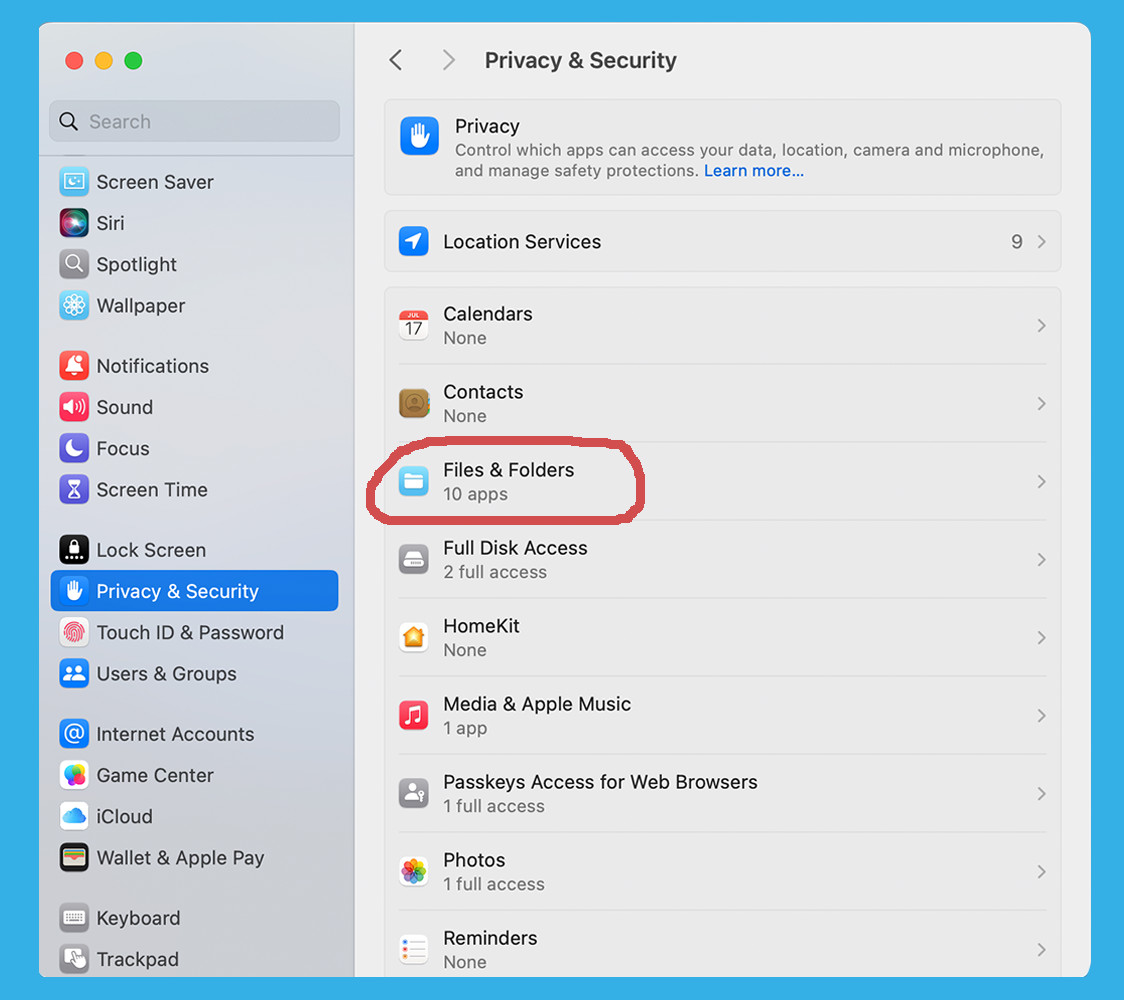
2. Find "Privacy & Security" on the left
3. Click "Files & Folders"
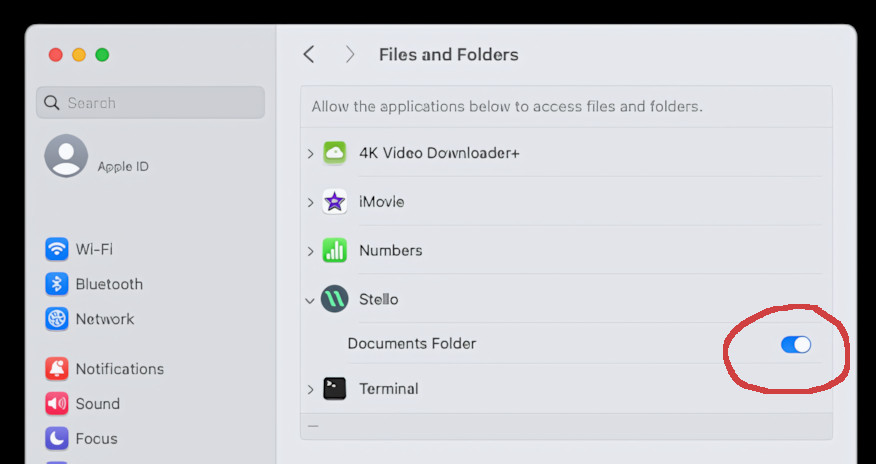
4. Enable "Documents Folder" access for Stello
If you can't find Stello in the list then it may be a different issue. Find the "Stello Files" folder, which defaults to being in your Documents folder. Ctrl+click the folder and select "Get Info". Ensure it says "Read & Write" for you in the "Sharing & Permissions" section.